|
|
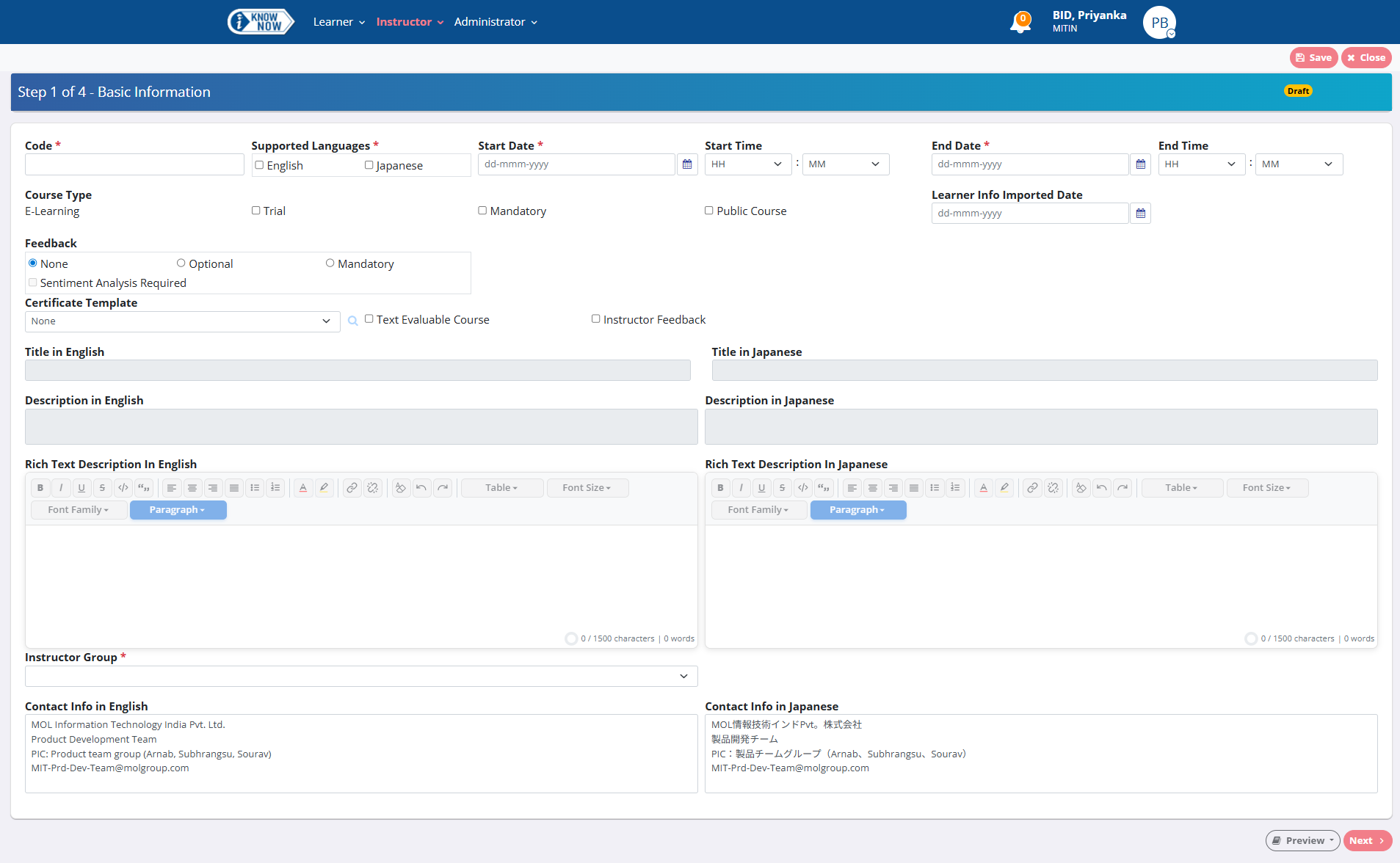
iKnowNow enables you to create evaluable courses, add content and tests, and then publish them to all users of all or specific departments of companies which are assigned to you, as Instructor.
An evaluable, free-text answer type course should have at least one free text question along with other question types. After completion of the course the free-text answers will be evaluated automatically by execution of the back-end process and marks will be added to the respective test.
Instructor group members of the published course will be eligible for manually evaluating the free text answers of the course.
In case of manual evaluable courses, it should have at least one evaluable free text question.
Auto-evaluable courses can also be manual evaluable.
For certificate courses with free text answers evaluation, the result publish date will be greater than the evaluation date.
Or, click Manage Courses in the menu.
You can also click + New Course on the dashboard to navigate to the Basic Information widget.
 to select the date on or before which the manual evaluation needs to be completed.
Instructors can evaluate the free text answers after the course end date and on or before the evaluation date.
You can select the Instructor Feedback check box to indicate that the instructor will be eligible to provide individual feedback for the learner(s) of the course.